
 Singapore
 Malaysia


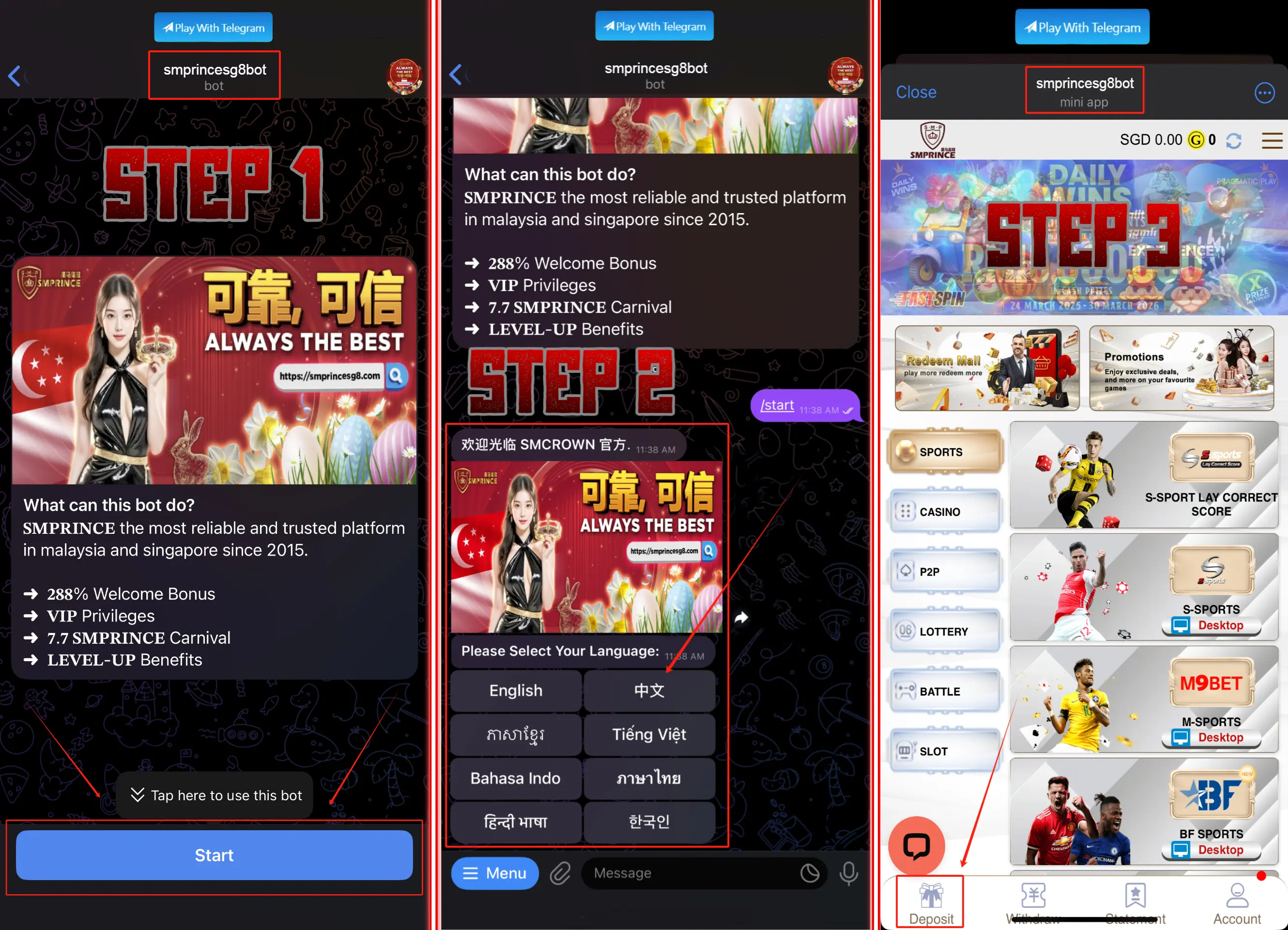
How to play SMPRINCE on Telegram
Play SMPRINCE on Telegram
- Open your Telegram App.
- Search @smprincesg8bot.
- Click "Start" button.
- Select your preferred language.
- Click "Start Game" button.
- Click deposit and choose the promotion you wish to redeem.
🎉 Congratulations! You're all set!
How to deposit using bank-in transfer
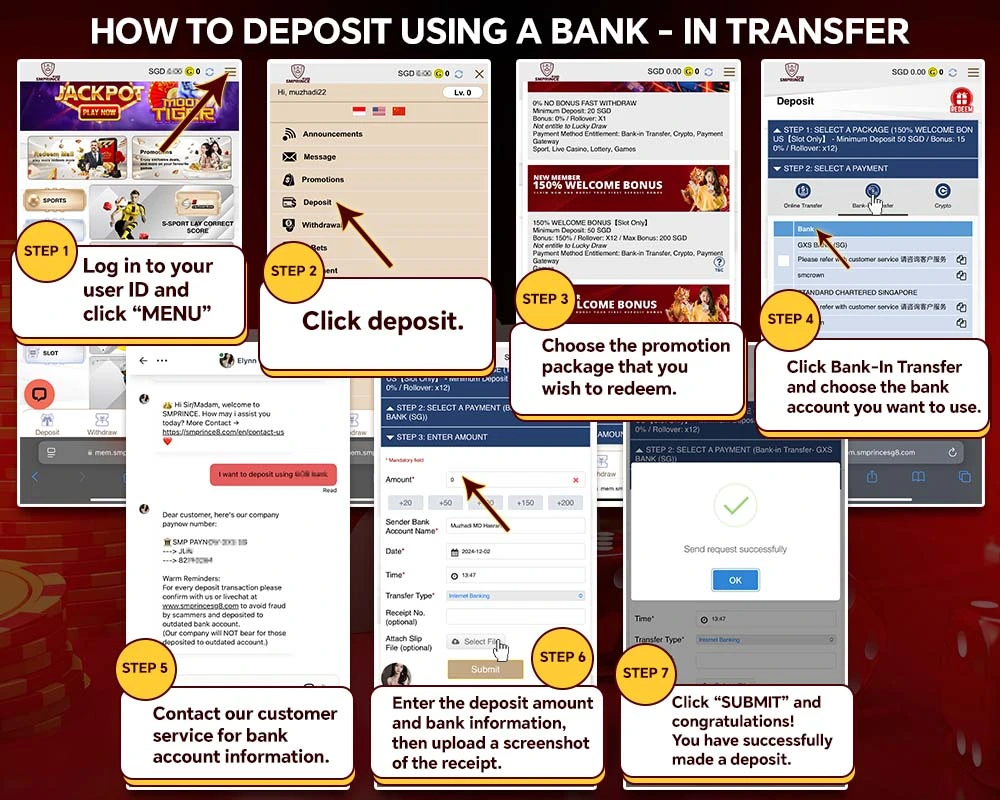
- Log in to your user ID and click "MENU".
- Click deposit.
- Choose the promotion package you wish to redeem.
- Click Bank-In Transfer and choose the bank account you want to use.
- Contact our customer service for bank account information.
- Enter the deposit amount and bank information, then upload a screenshot of the receipt.
- Click "SUBMIT". Congratulations — you have successfully made a deposit.
How to deposit via DGPAY
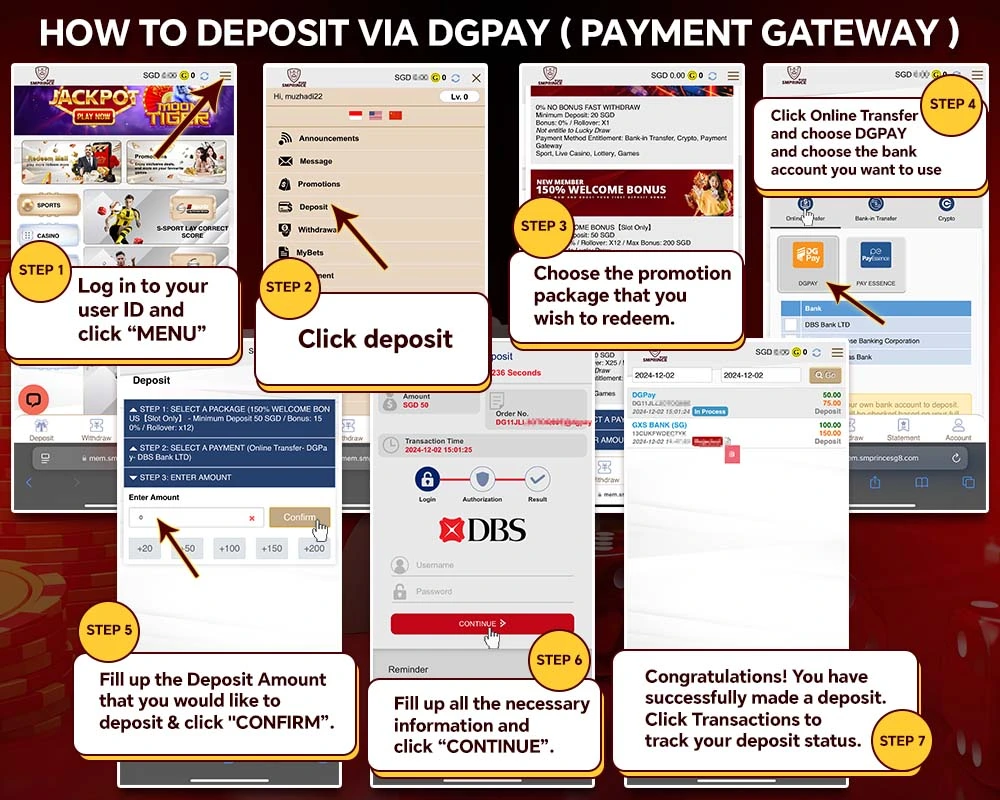
- Log in to your user ID and click "MENU".
- Click deposit.
- Choose the promotion package you wish to redeem.
- Click Online Transfer, choose DGPAY, then choose the bank account you want to use.
- Enter the deposit amount and click "CONFIRM".
- Fill in the necessary information and click "CONTINUE".
- Congratulations — your deposit is complete. Track its status under Transactions.
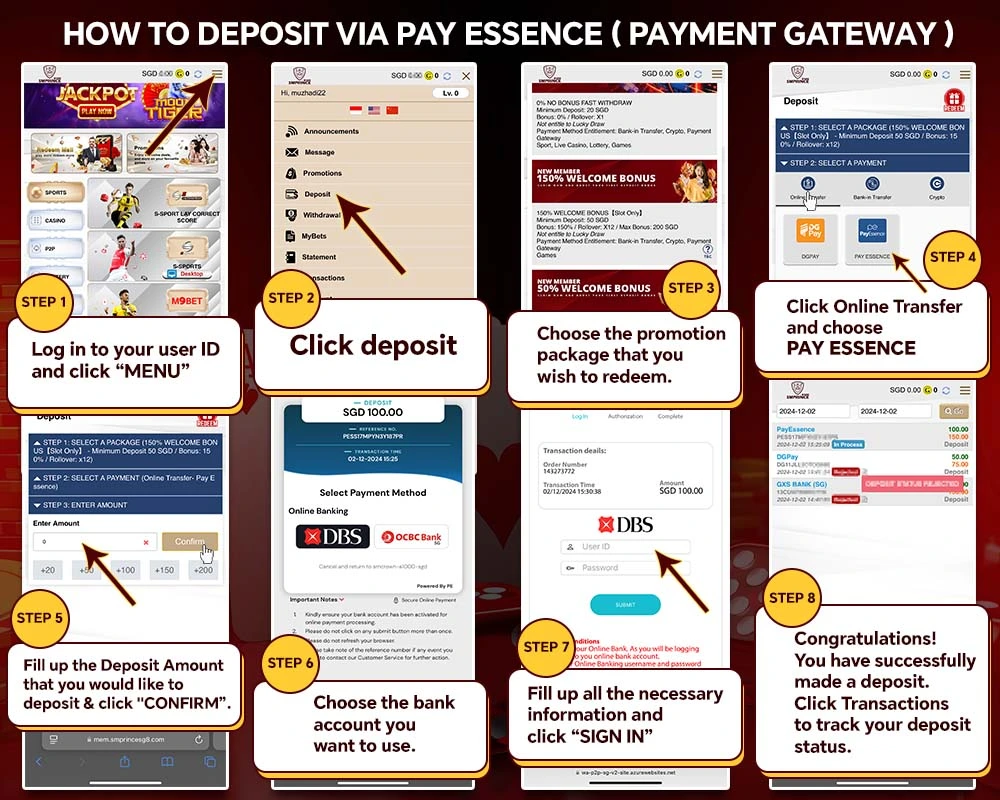
How to deposit via PAY ESSENCE
- Log in to your user ID and click "MENU".
- Click deposit.
- Choose the promotion package you wish to redeem.
- Click Online Transfer and choose PAY ESSENCE.
- Enter the deposit amount and click "CONFIRM".
- Choose the bank account you want to use.
- Fill in the necessary information and click "SIGN IN".
- Congratulations — your deposit is complete. Track its status under Transactions.
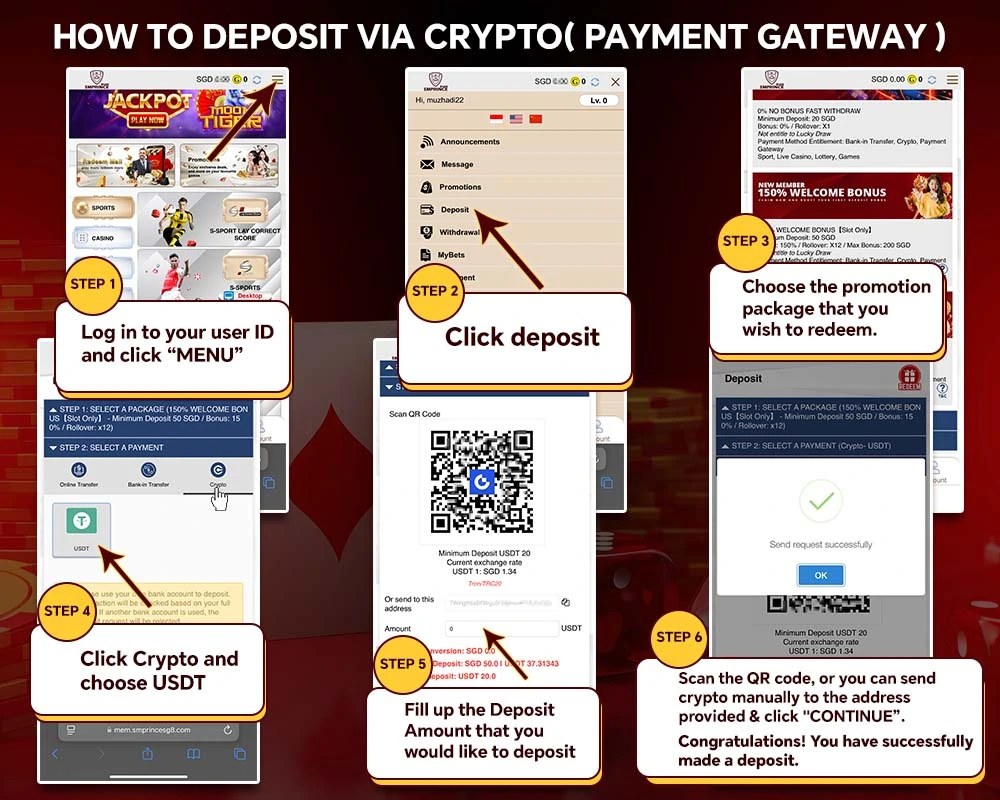
How to deposit via crypto
- Log in to your user ID and click "MENU".
- Click deposit.
- Choose the promotion package you wish to redeem.
- Click Crypto and choose USDT.
- Enter the deposit amount.
- Scan the QR code, or send crypto manually to the address provided, then click "CONTINUE".
Congratulations! You have successfully made a deposit.
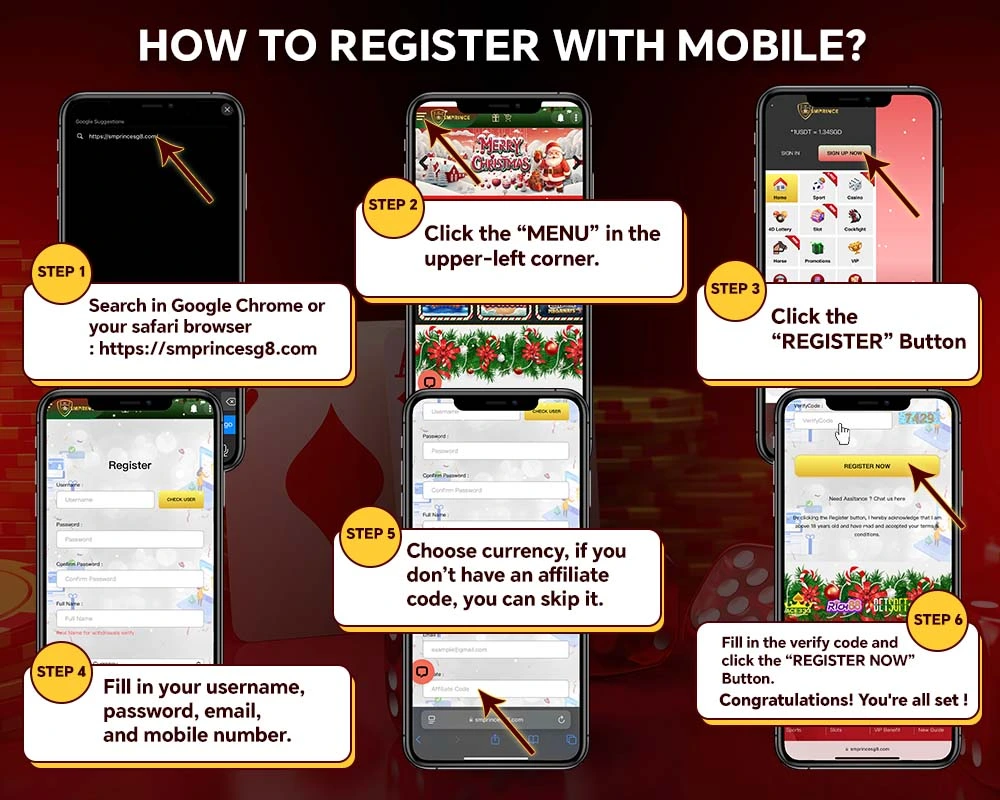
How to register with mobile
- Search in Chrome or Safari: https://smprincesg8.com
- Click the "MENU" icon in the upper-left corner.
- Click the "REGISTER" button.
- Fill in your username, password, email, and mobile number.
- Choose your currency (affiliate code is optional).
- Fill in the verification code and click "REGISTER NOW".
How to join as an SMPRINCE partner (affiliate rewards)
Join as an affiliate member with SMPRINCE
- Contact our customer service for a reference code (Whatsapp, Wechat, or Telegram).
- Invite friends to join or promote SMPRINCE through social media.
- Earn up to 45% lifetime profit.
- Start earning.
More detail: Affiliate Reward
How to contact us
4 ways to contact us
You can contact us via Whatsapp, Wechat, or Telegram, 24/7.
More detail: Contact Us
How to make a complaint or give feedback
Email us a feedback or complaint letter
You can submit a form to our related department via email.
More detail: Contact Us
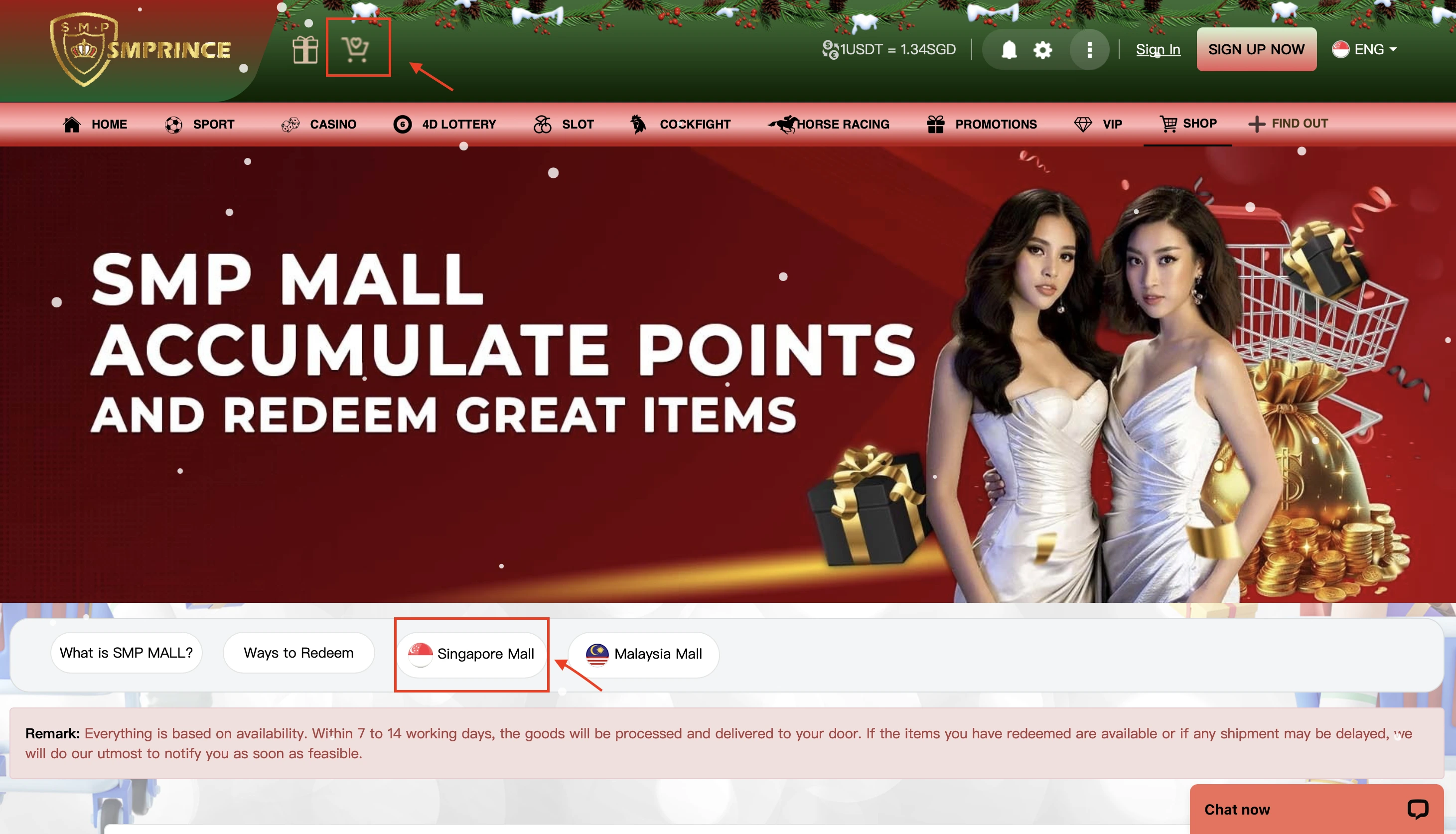
What is SMPRINCE Mall
Purchase items using SM Points
Game points are earned from valid bets.
- Your SMPRINCE points are shown at the top-right of the member site.
- Points are earned from the valid bet amount of losing tickets only.
- Points are calculated and displayed at the next settlement date, 1 PM (GMT+8).
- Purchase now: SMPRINCE Mall
How to purchase products in SMPRINCE Mall
Purchase using game points
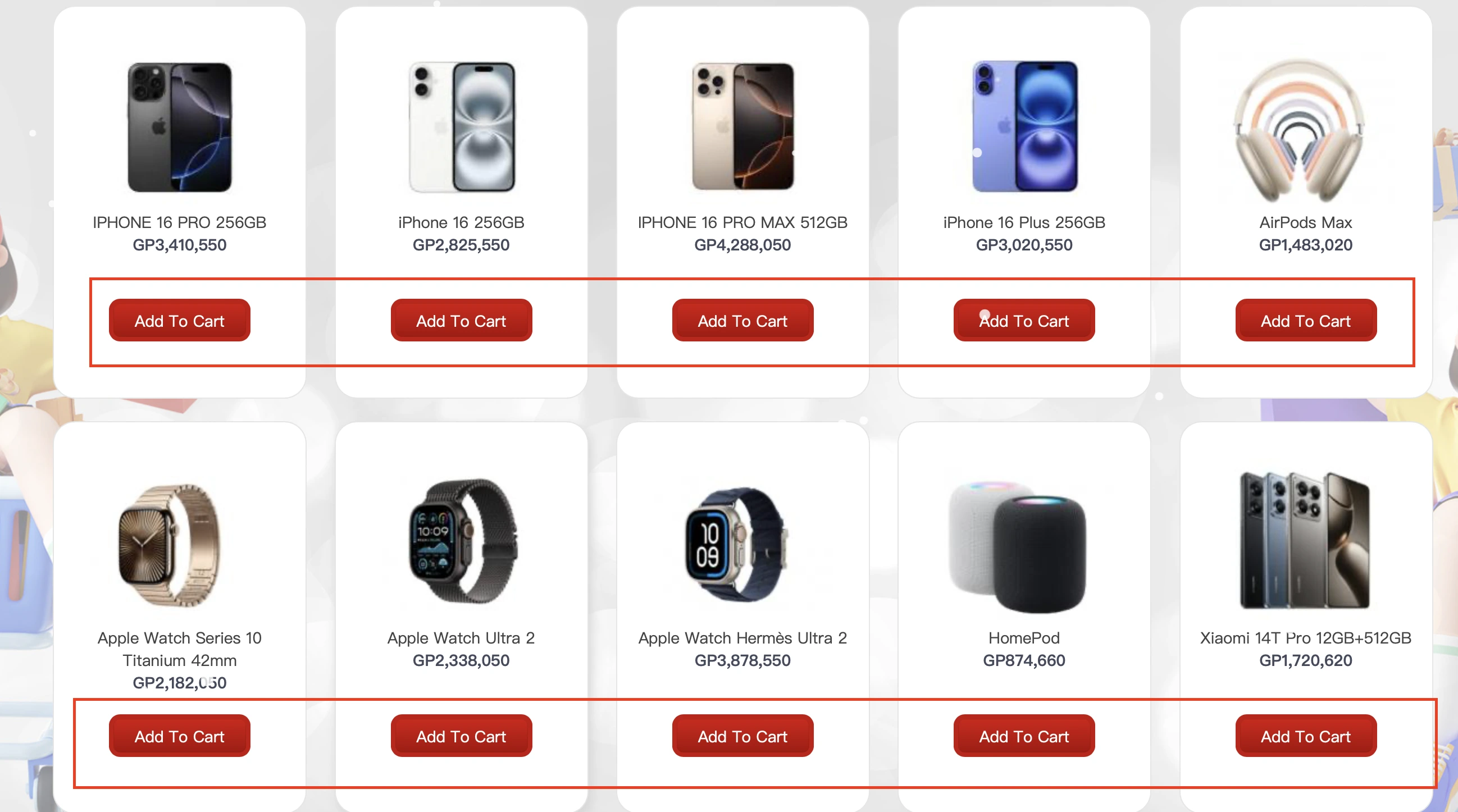
- Add items to your cart.
- Log in with your Member ID.
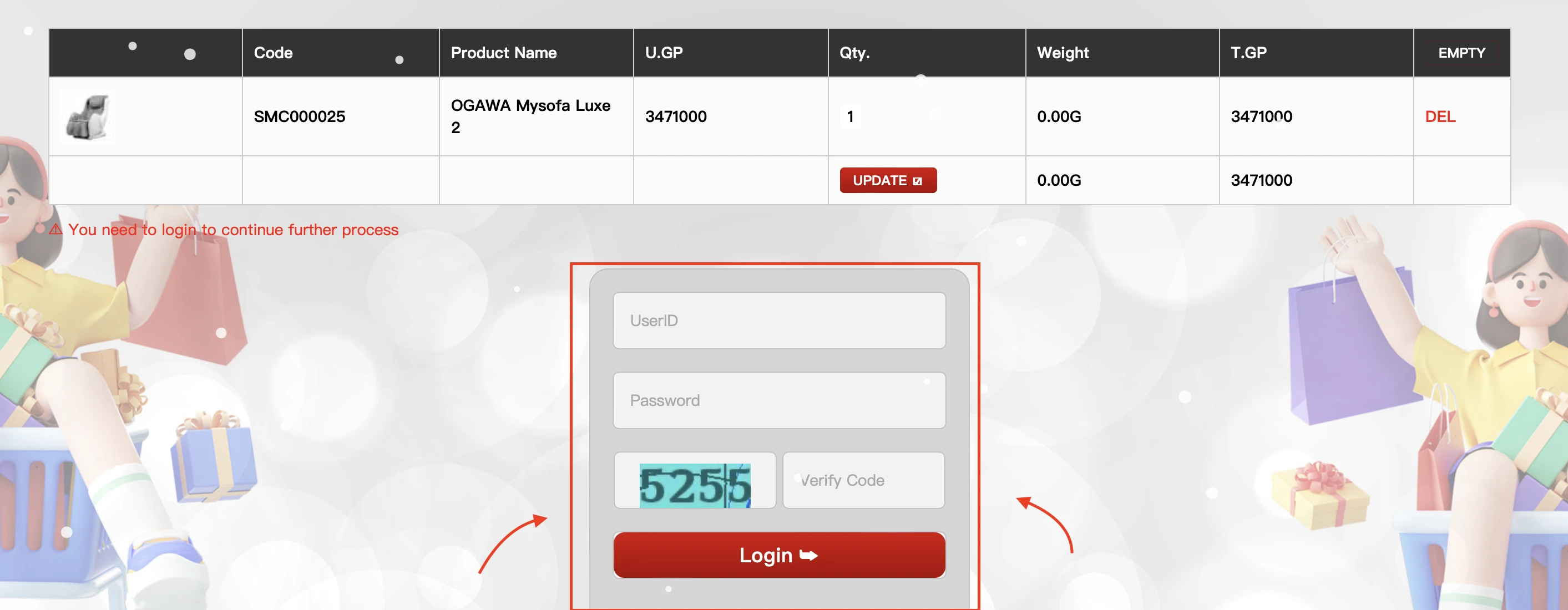
- Click "Check Out".

- Enter your shipping address.
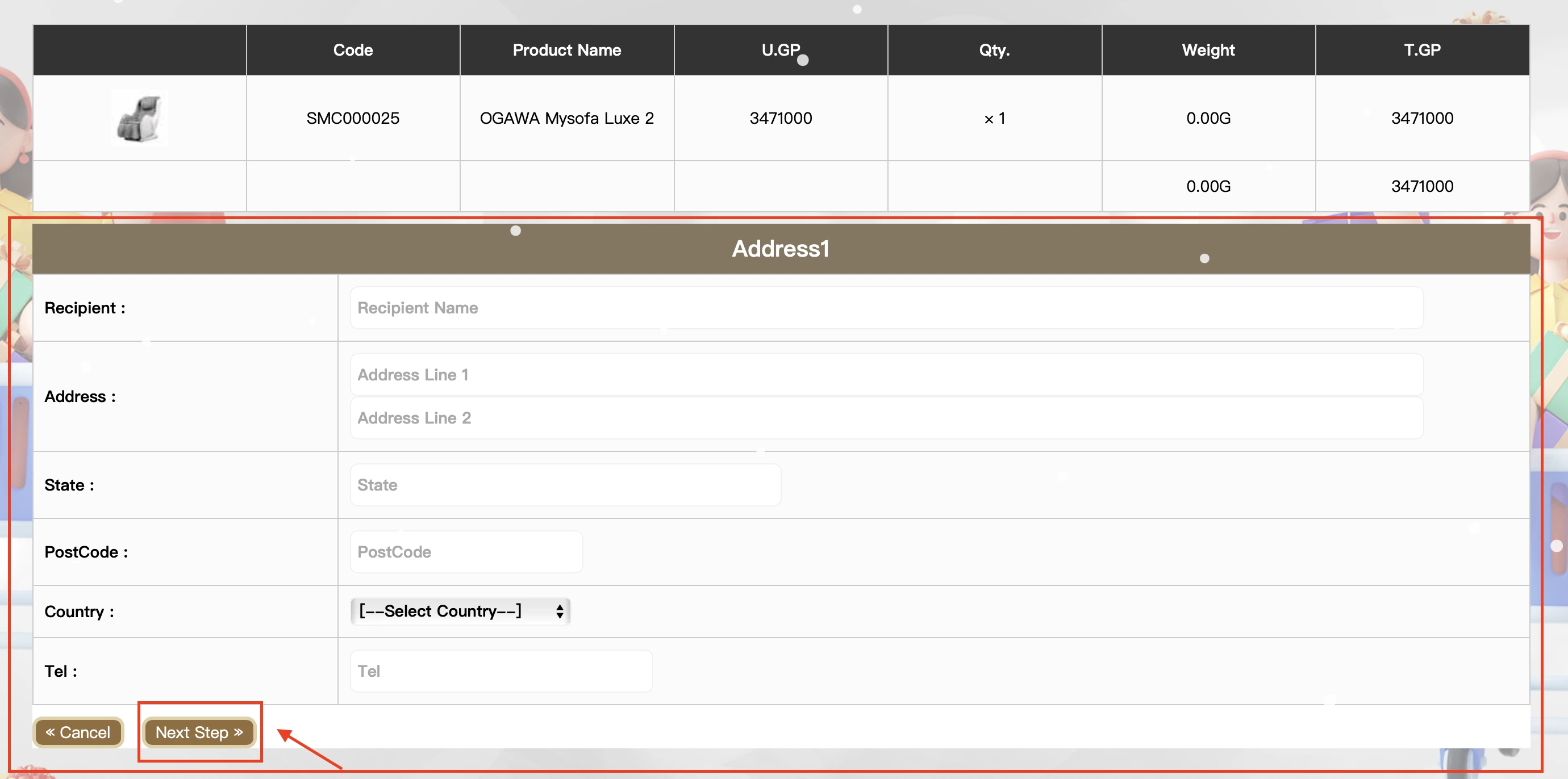
- Complete checkout. Congratulations — your item has been purchased.
Purchase now: SMPRINCE Mall
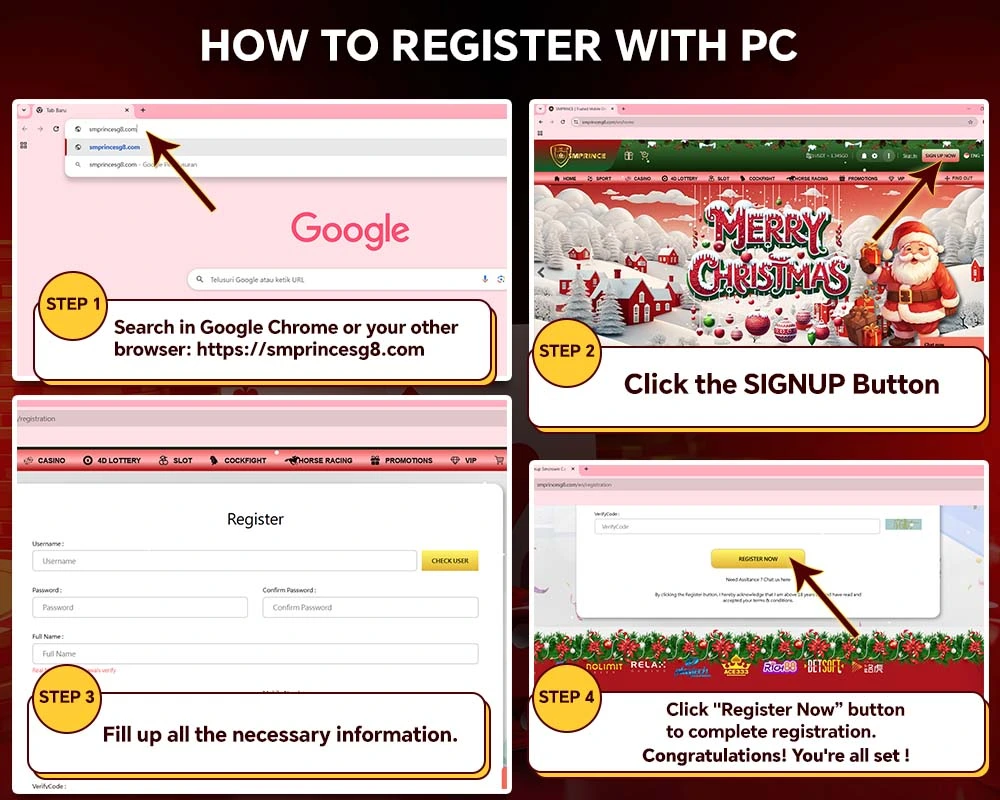
How to register with PC
- Search in Chrome or another browser: https://smprincesg8.com
- Click the SIGNUP button.
- Fill in the necessary information.
- Click "Register Now" to complete registration.
Congratulations! You're all set!
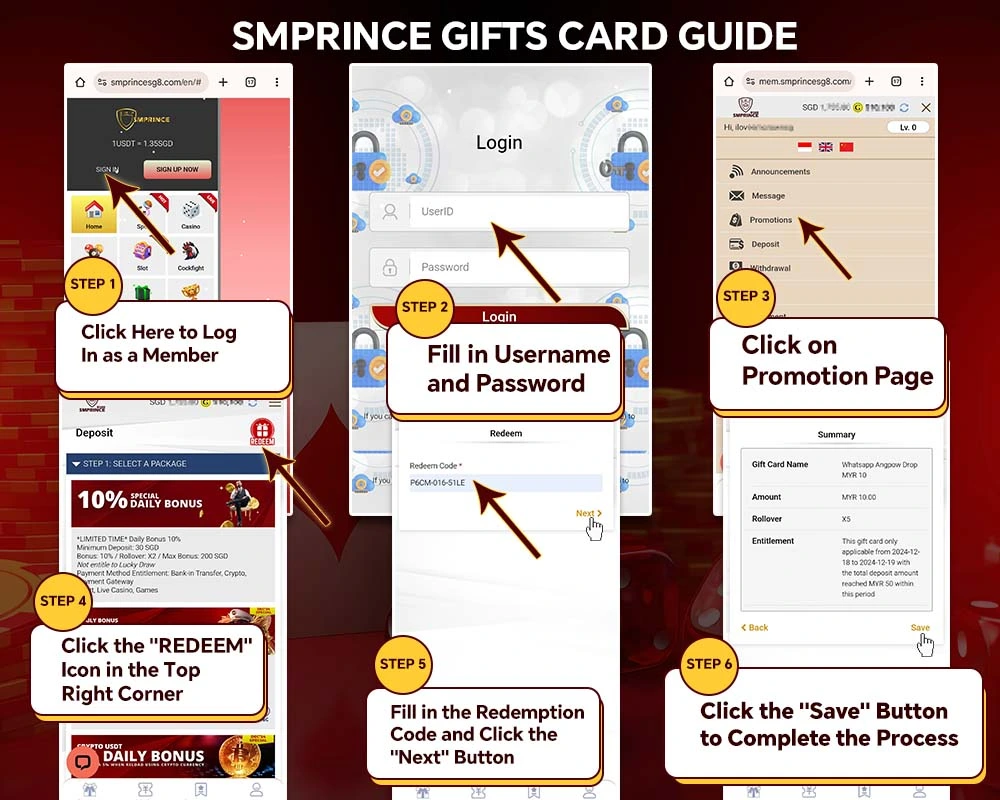
How to redeem SMPRINCE gift cards
Gift card redemption guide
- Log in as a member.
- Fill in your username and password.
- Click the Promotion page.
- Click the "REDEEM" icon in the top-right corner.
- Fill in the redemption code and click "Next".
- Click "Save" to complete the process.
More details: Gift Card Guide
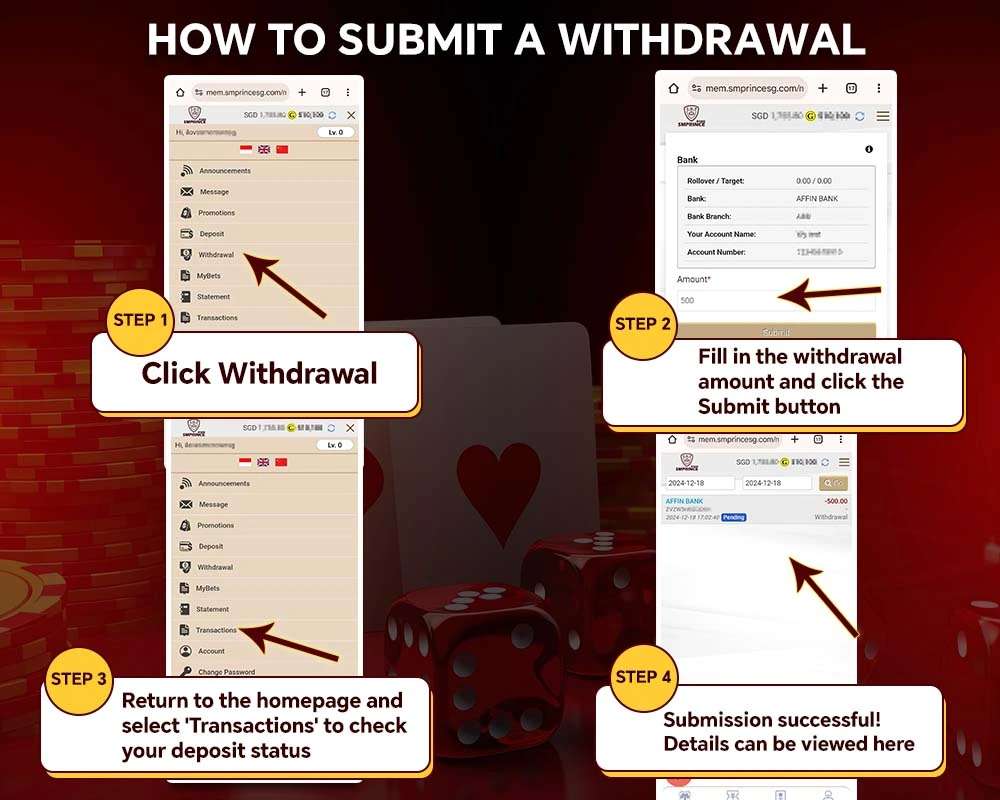
How to submit a withdrawal
- Click Withdrawal.
- Enter the withdrawal amount and click Submit.
- Click Transactions to track your withdrawal status.
- Submission successful — details can be viewed there.
Congratulations! You have successfully made a withdrawal.